How a practice session works
Watch a whole session, start to finish - or read the same steps below. The example is a short bug-fixing exercise, Meeting Room Booking.
About 5 minutes, with captions. Prefer to read? Skip to the steps.
The steps
- 1
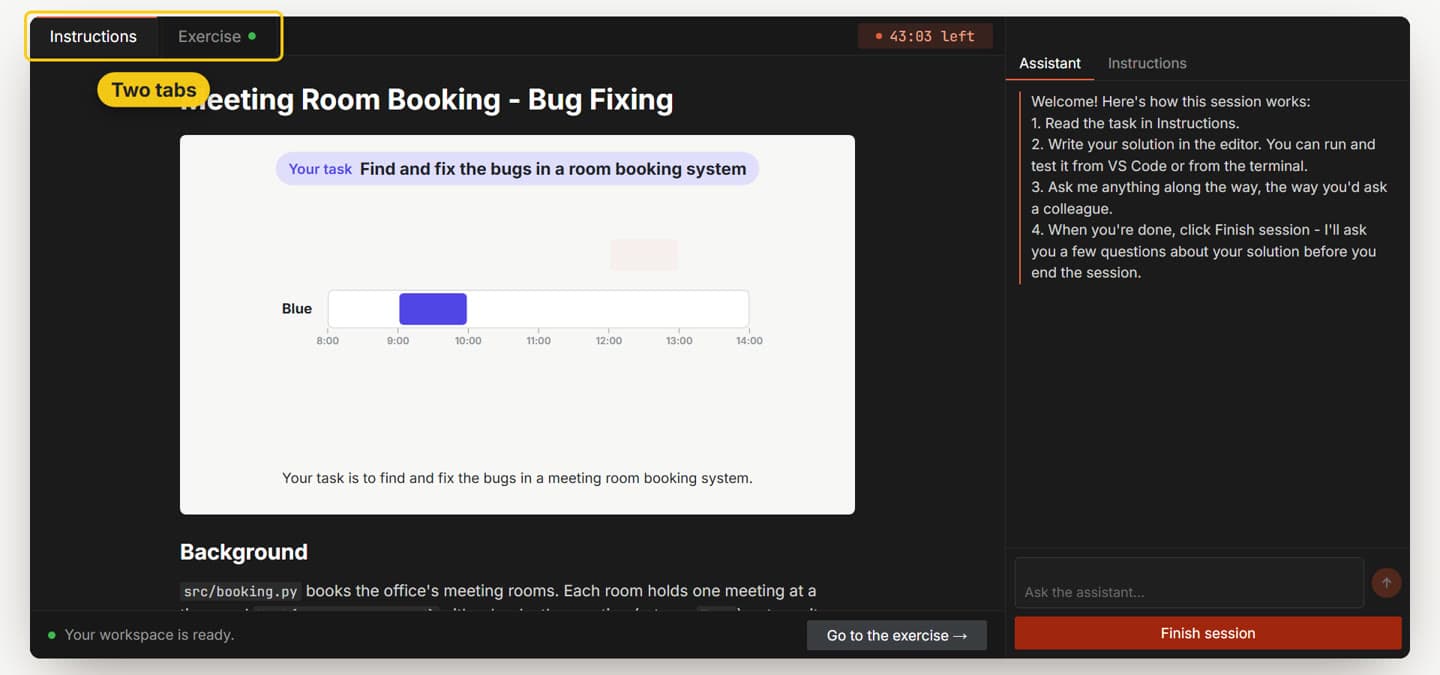
The session screen
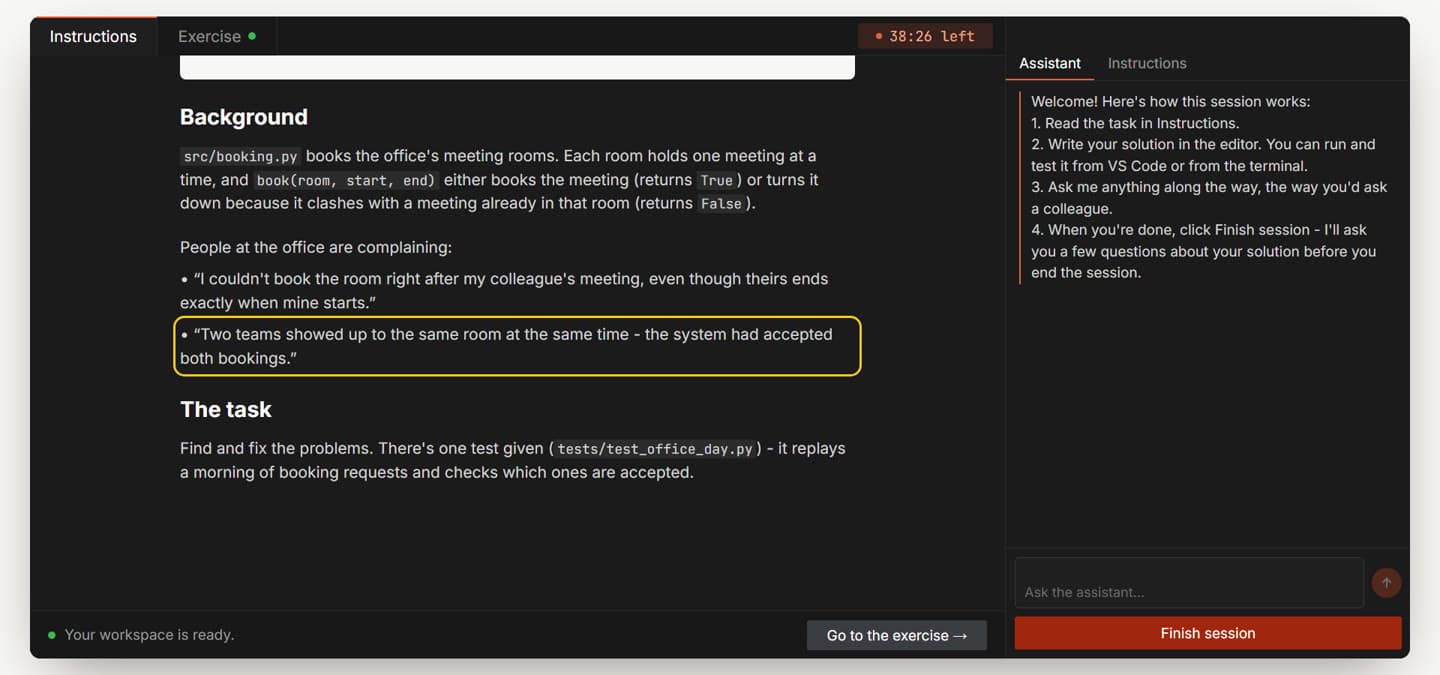
Every session opens on the Instructions tab. Exercise is where your code lives - VS Code, in your browser. The clock at the top shows how much time you have left.
- 2
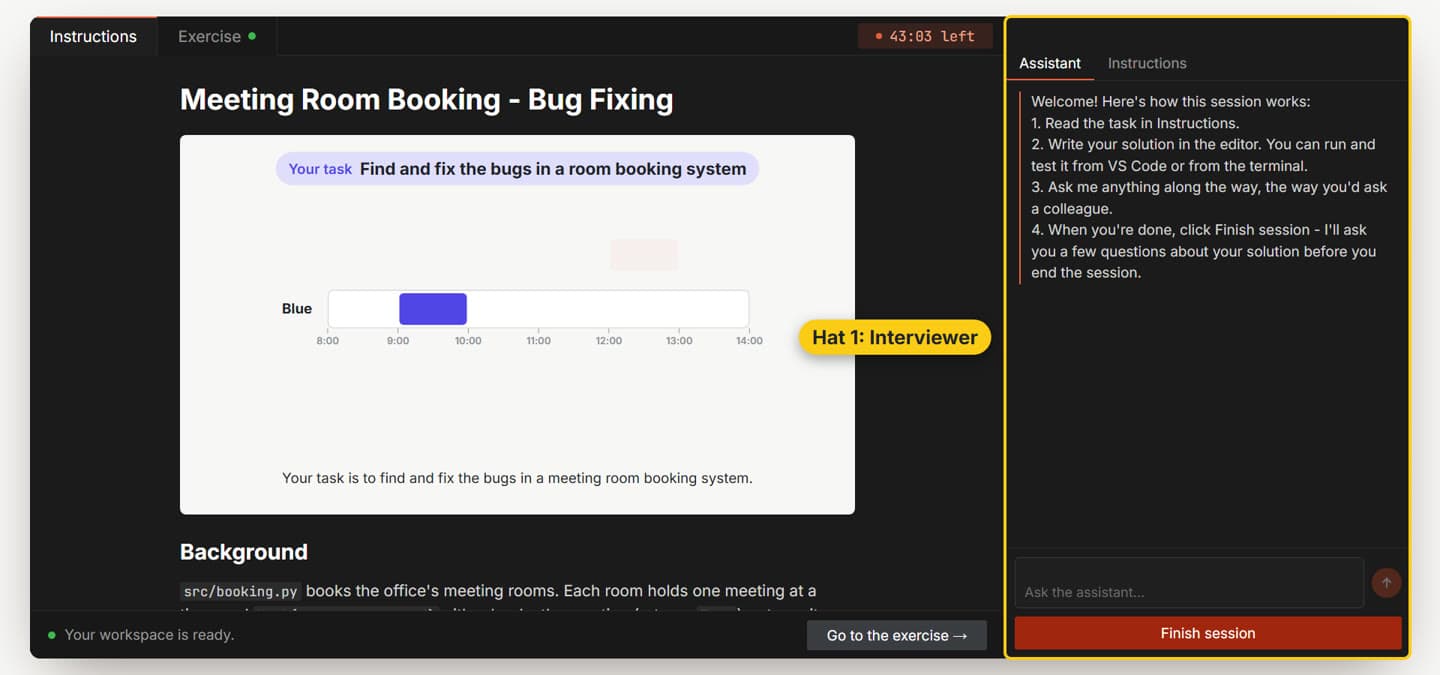
The assistant wears two hats
It's your interviewer: it asks you questions, and answers yours about the task. And it's your AI assistant: it helps with practical things along the way. It won't write the solution for you - that part is yours.
- 3
Watch the video, then read the task
Start with the short video at the top of Instructions, then read the task below it. In this example there are two complaints - keep each one in mind, you'll need to explain every one. When you're ready, click Go to the exercise.
- 4
Say hello
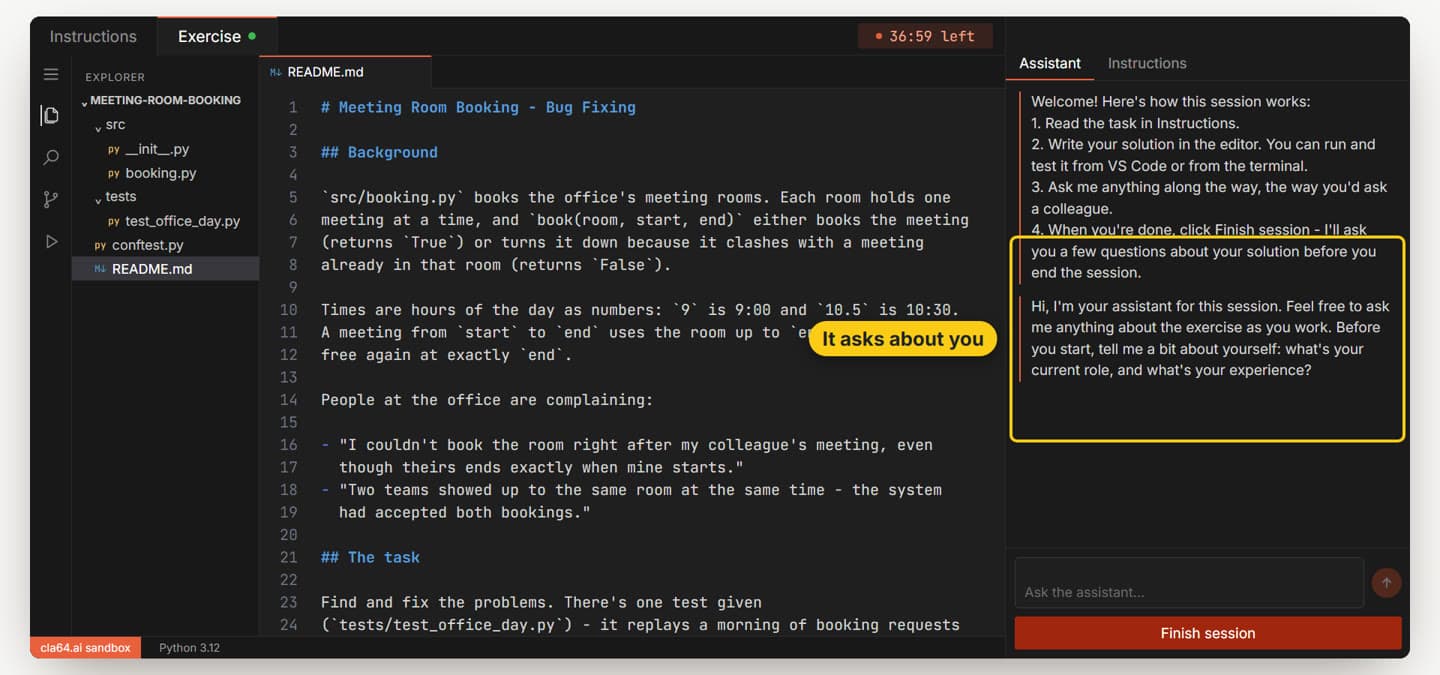
When you open the exercise, the assistant greets you and asks a little about you. Answer in a sentence or two, like you would at the start of a real interview.
- 5
Read the code before you change it
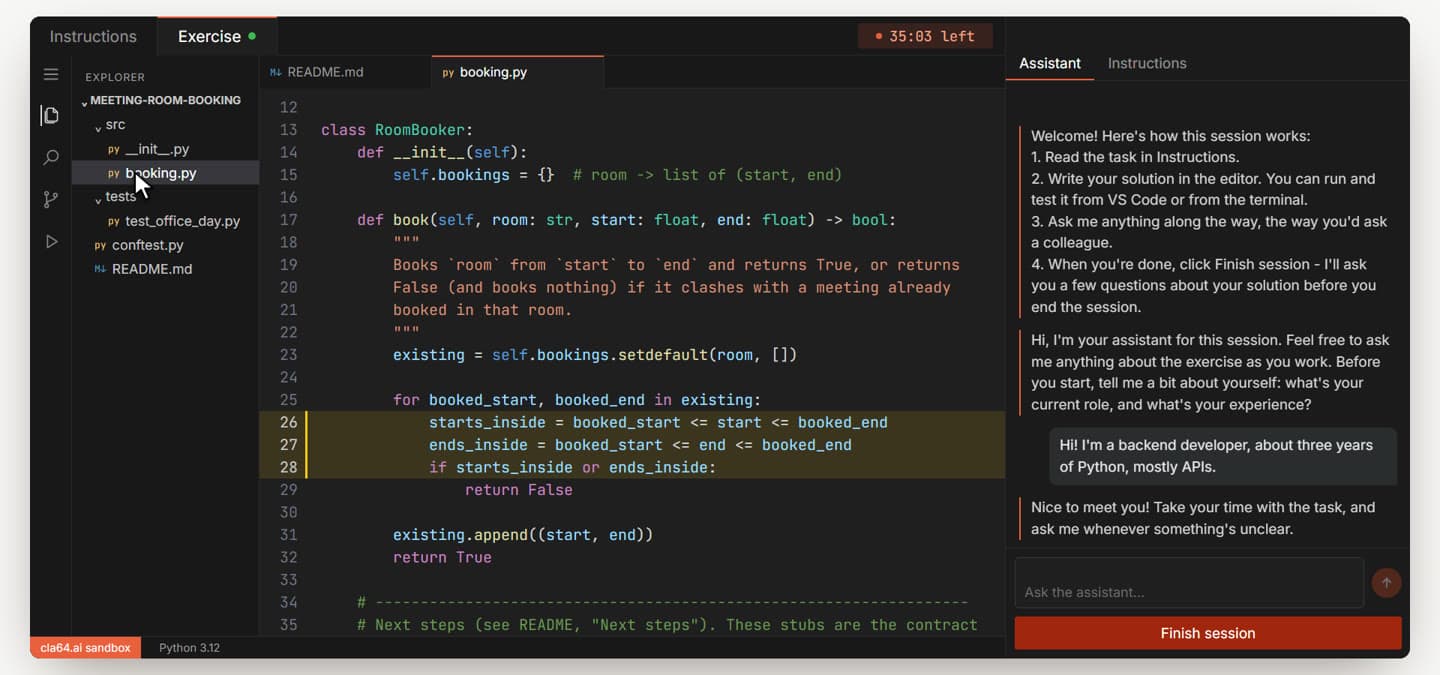
Open the file the task is about and find the lines that decide the behavior people complain about - here, the three lines that decide what counts as a clash. Don't change anything yet.
- 6
Run the tests first
Open a terminal from the ☰ menu > Terminal > New Terminal and run the tests (
pytest tests/ -q). A failing test tells you that something is wrong, not what: compare what it expected with what it got.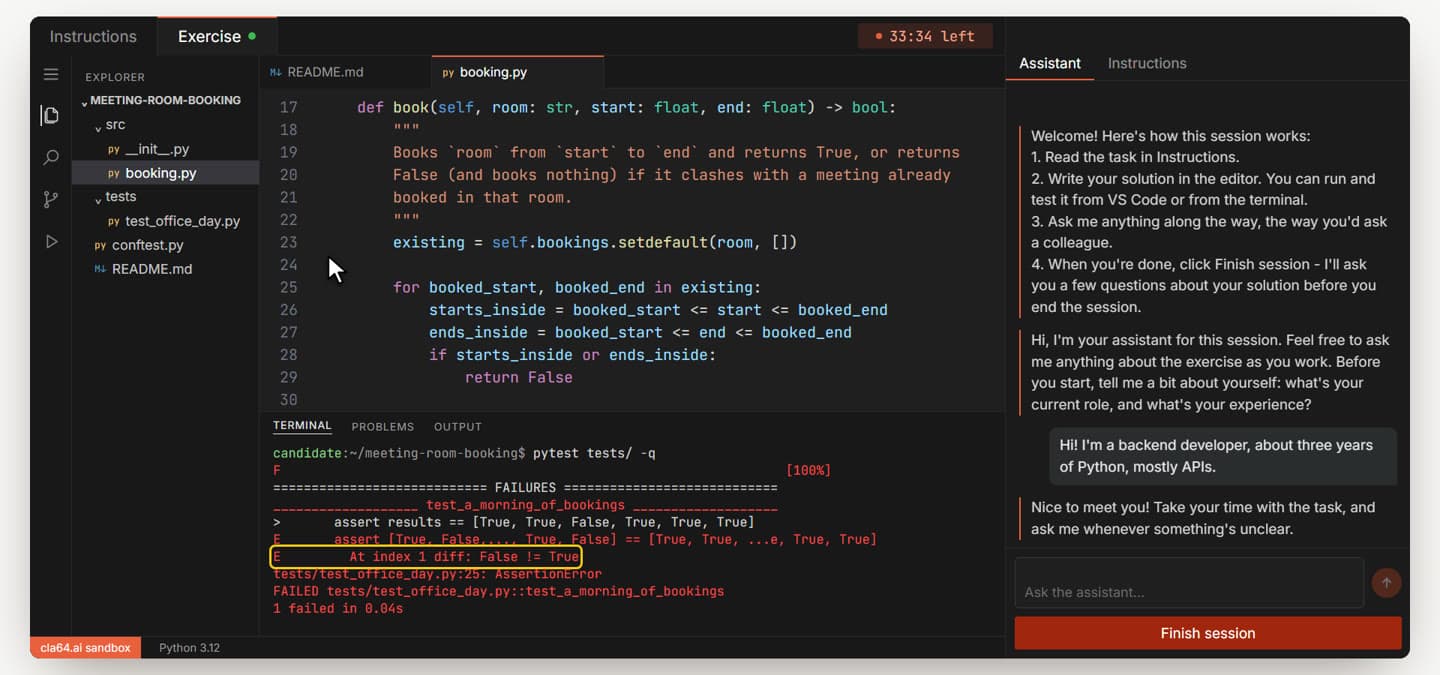
- 7
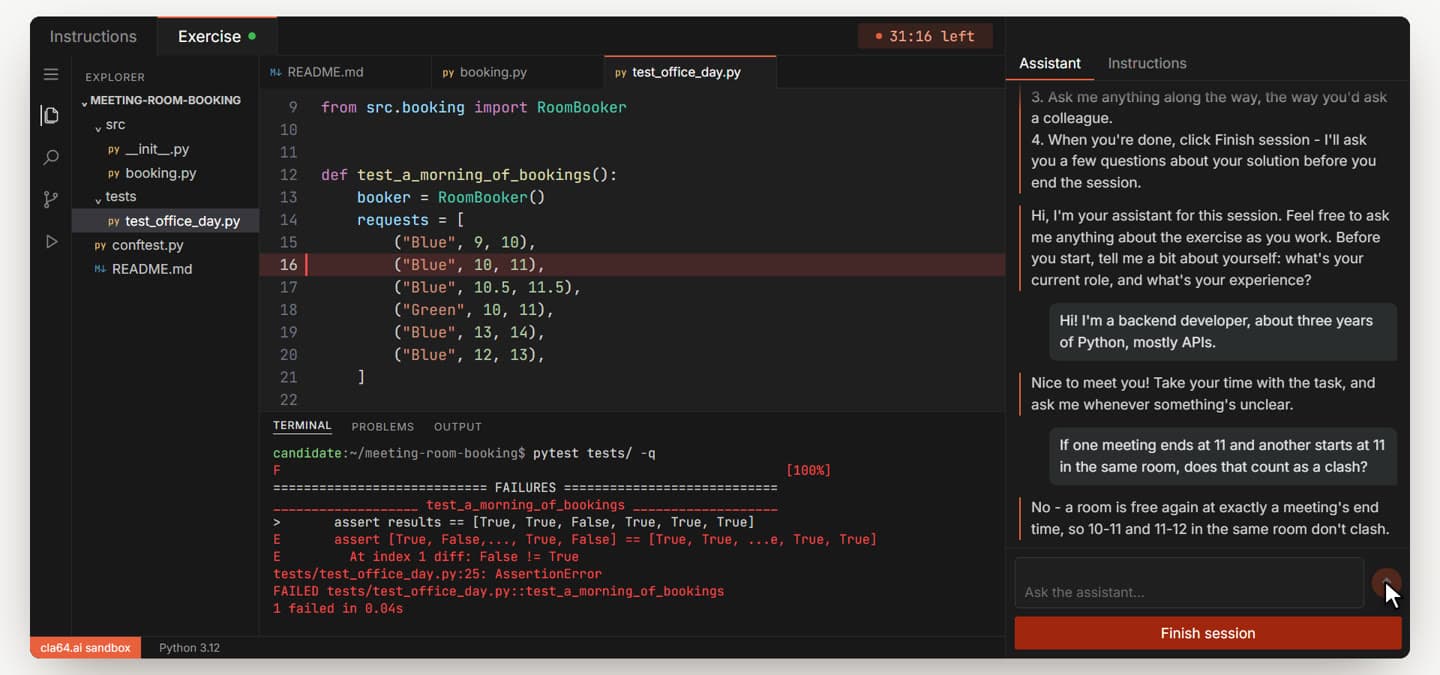
Ask about the rules (hat 1)
Not sure how something should behave? Ask in the chat, the way you'd ask an interviewer - about the rules, not for the answer. Asking instead of guessing is one of the things you're scored on.
- 8
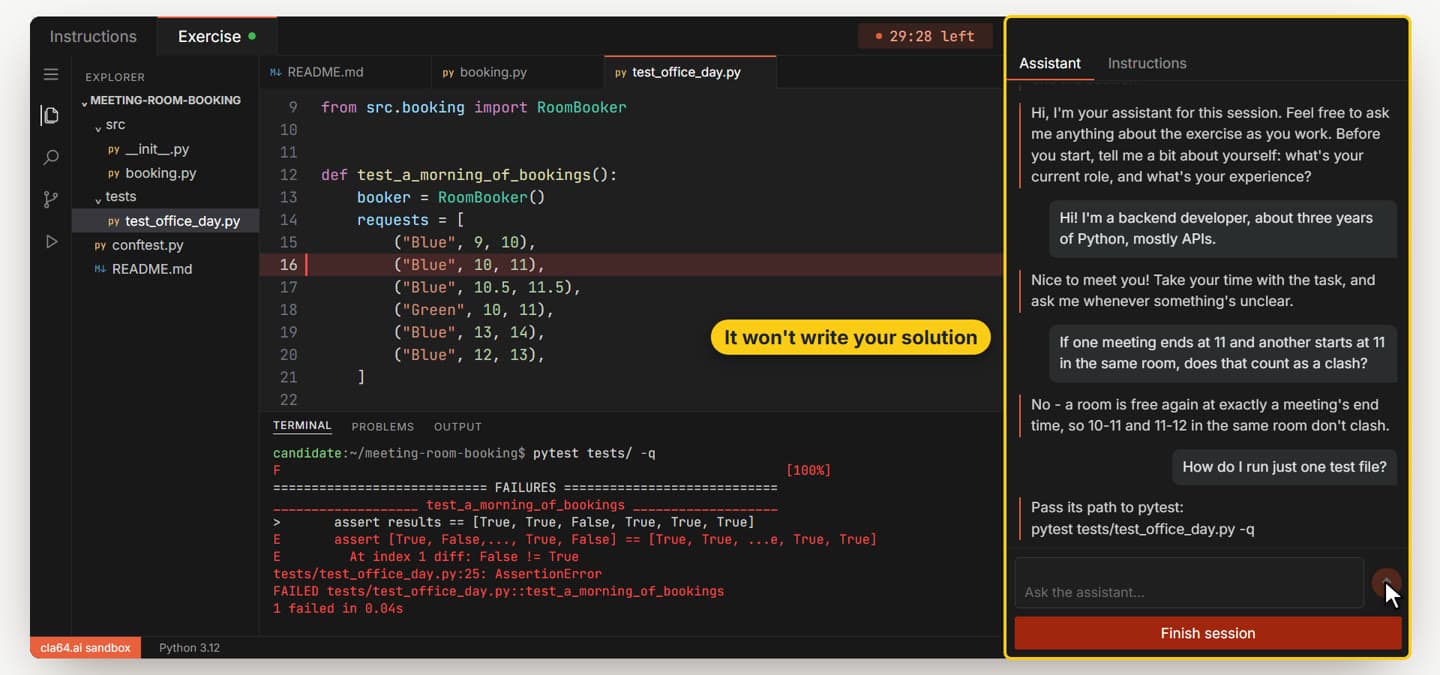
Ask practical questions too (hat 2)
Questions about tools - like how to run just one test file - get a direct answer. What it won't do is write the solution for you.
- 9
Fix one thing at a time
Make the smallest change that explains one complaint - here, the
<=signs that include the end time become<. Save (Ctrl+S) and run the tests again.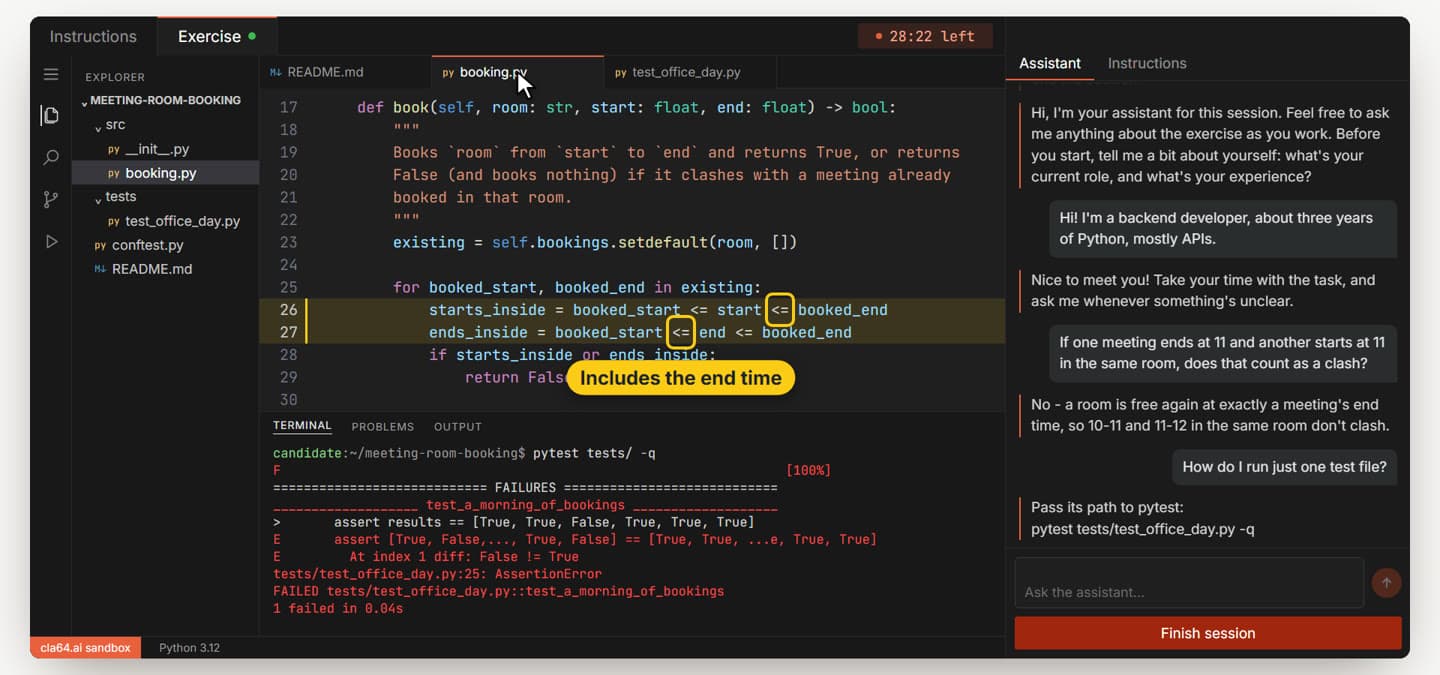
- 10
A passing test doesn't mean you're done
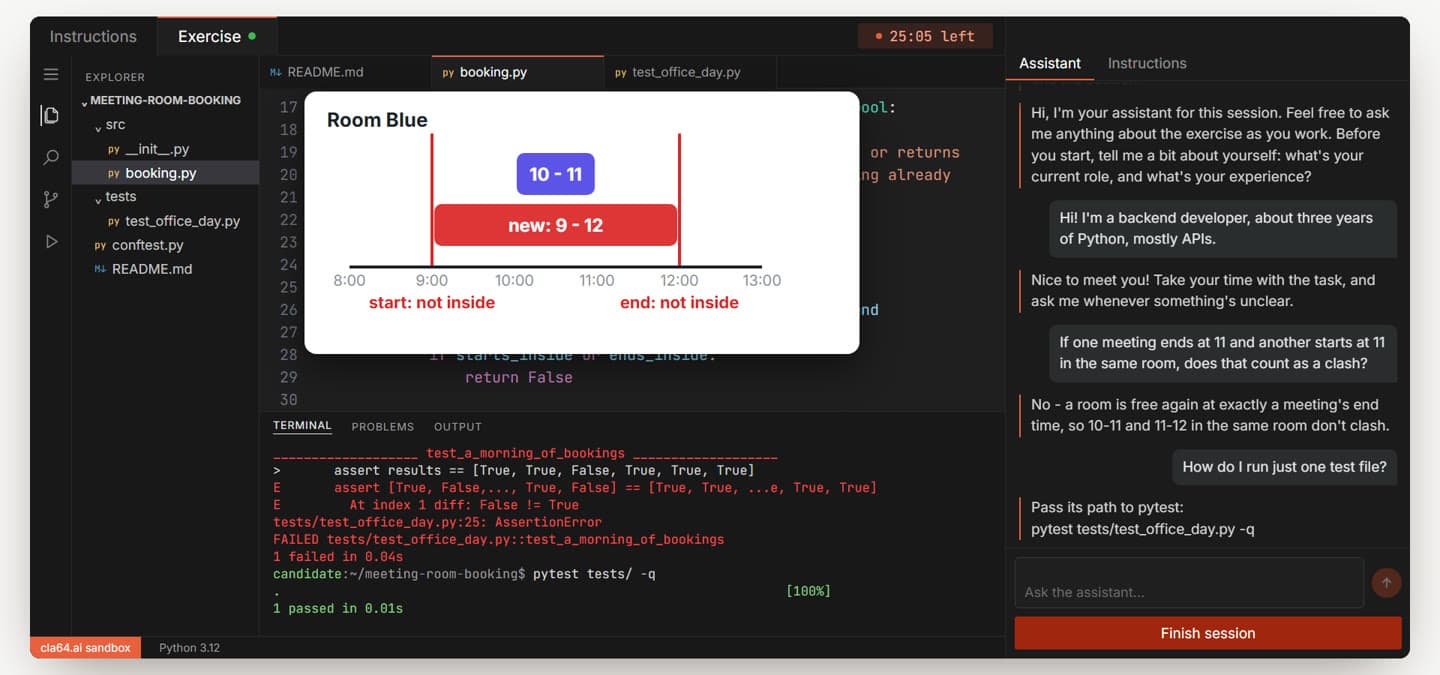
The given test only covers the cases it checks. Think about the ones it doesn't - here, a new meeting that completely covers an existing one. Its start isn't inside the other meeting, and neither is its end.
- 11
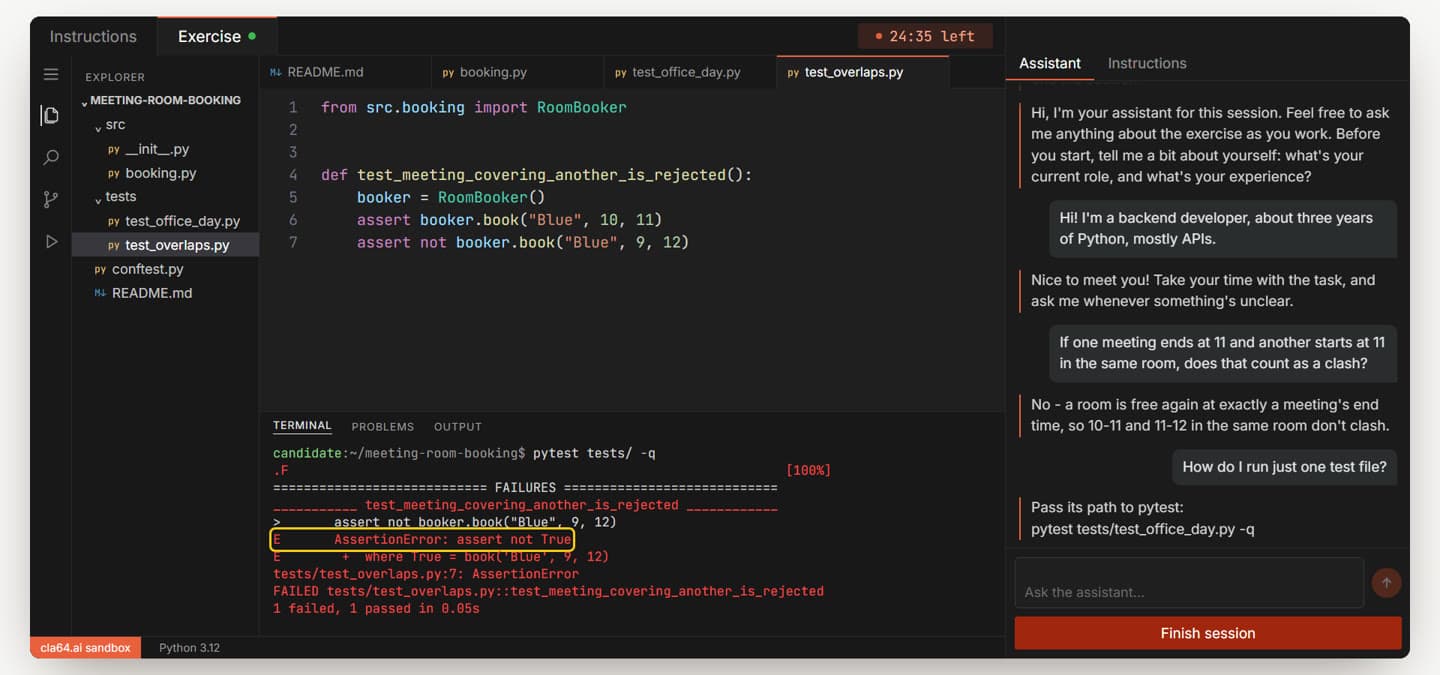
Write your own test for it
Put that case in a test of your own, in the tests folder, and run it. It fails - the system accepted the meeting. You've found the second problem.
- 12
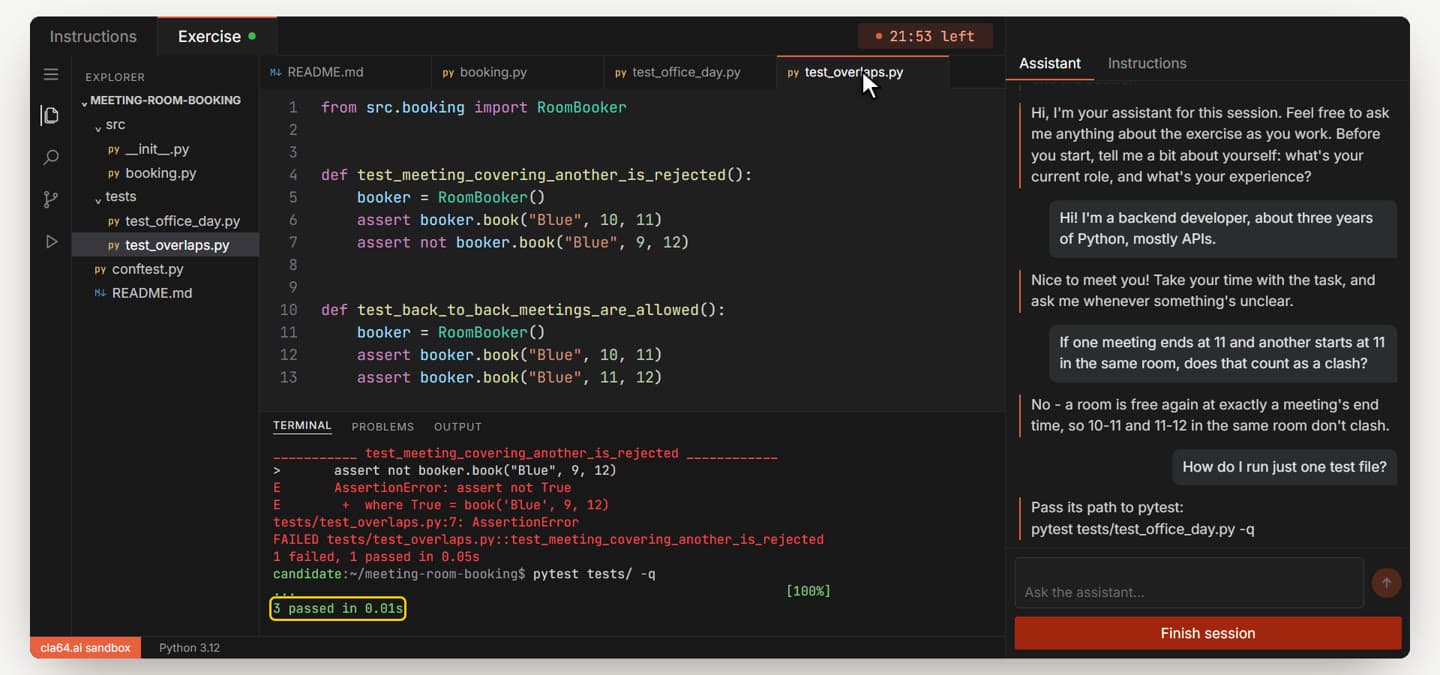
Fix it, and test every fix
Fix the rule, add a test for the first fix too, so each fix has a test that would have caught it, and run everything. All green - and this time you know why.
- 13
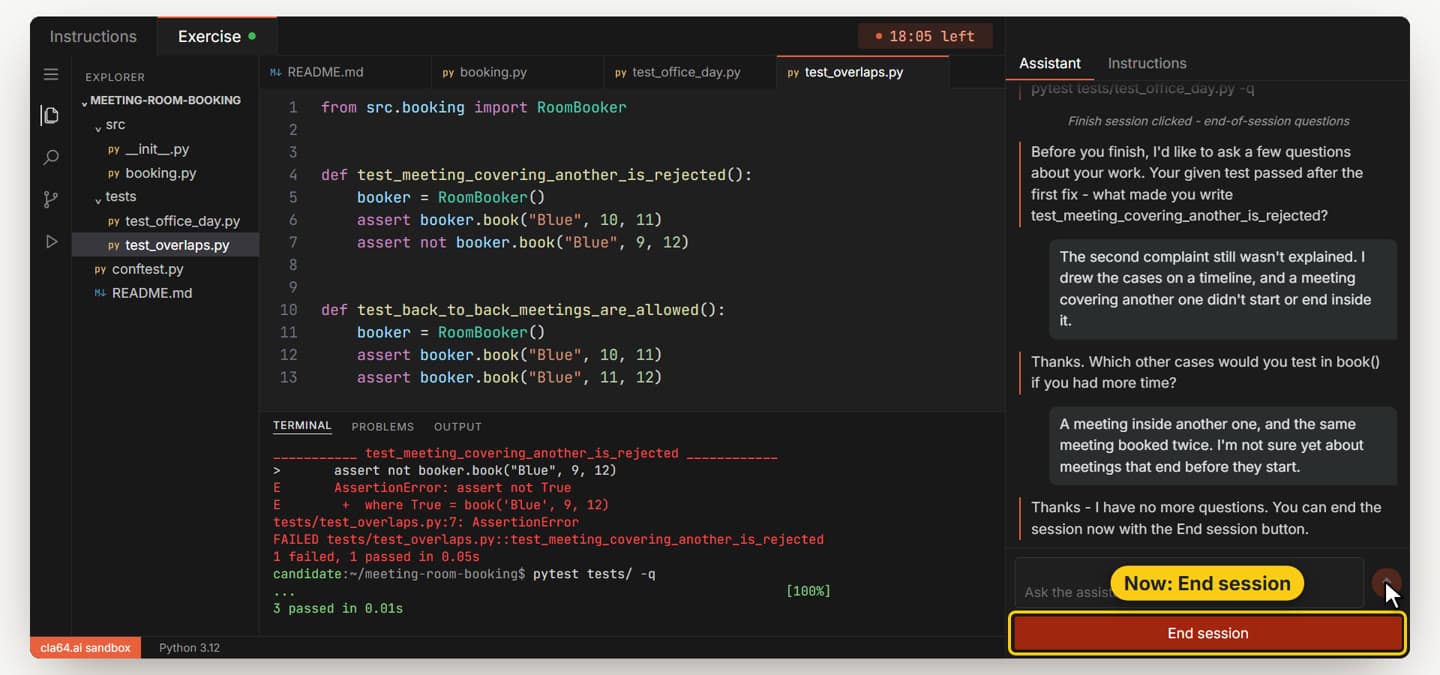
The end-of-session conversation
Click Finish session, then Start questions. The interviewer asks two or three questions about your solution, one at a time, and may follow up on what you said. A short answer, or "I'm not sure", is fine. You can still change your code while you answer. When it has no more questions, it says so, and the button changes to End session.
- 14
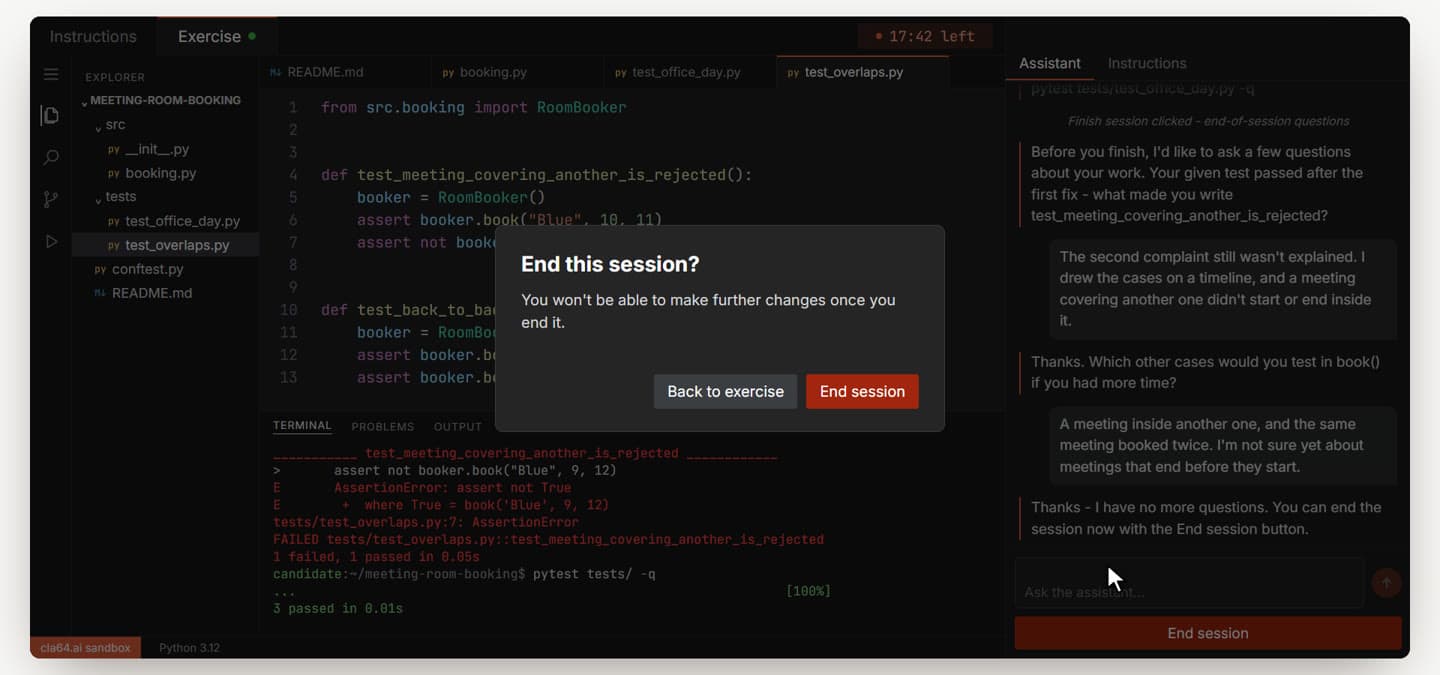
End the session
Click End session and confirm. Only then does the session actually end, and your written feedback is prepared. If there's time before you finish, you can also tell the assistant you're ready for the optional next steps.
Now it's your turn
Read first, run the tests, ask about the rules, fix one thing at a time, and write your own tests for the cases nobody gave you. The interview guide covers these habits for any coding interview, not just ours.
Browse the catalog